العربية
My content
buy it now
Editing program for Windows · In Arabic

3 Hours of 30-second video editing… An Arabic program solves it in minutes

My content removes the strokes and “umms”, writes the Arabic caption word for word, and displays all sizes. You drop the video and click “Set it yourself.””.

Buy my content nowLifetime license · USD 7.99
Instant download after paymentOne payment without subscriptionWindows 10 and11
  • Lifetime license
  • One payment without subscription
  • Instant download after payment
  • Automatic updates at no charge
  • It works on your device
Before my content

Editing takes more time than filming

Situations that everyone who makes a video himself knows:

3 Hours of video editing of no more than 30 seconds.

Complex programs in English, and require learning before starting.

Arabic caption appears upside down and the letters are cut off.

Pauses and “mmmm” in speech, and a low and unclean sound.

Every size, rails or post, is made from the beginning.

Or you pay Monter and wait for his delivery.

My content combines all of this in one program in Arabic that runs on your device.

Before & after

From hours of fatigue… To video ready in minutes

BeforeWithout my content

  • 3 Hours of 30-second video editing
  • Complex English programme
  • Inverted caps and cut letters
  • Pauses and “mmmm” and a watt sound
  • Every new business size

AfterWith my content

  • You drop the video and click “Set it yourself.””
  • Simple Arabic interface
  • Sound Arabic caption, word for word
  • No pauses and a clean sound
  • 4 Sizes from the same project
What does my content do?

Five tasks that take you hours… Performed with one click

Real screenshots of the program on Windows.

01 · Editing with one click

“Set it up on your own”

He removes the pauses, “umms,” and repeated sentences, zooms in on the mouse and clicks, and sets titles for the most important words..
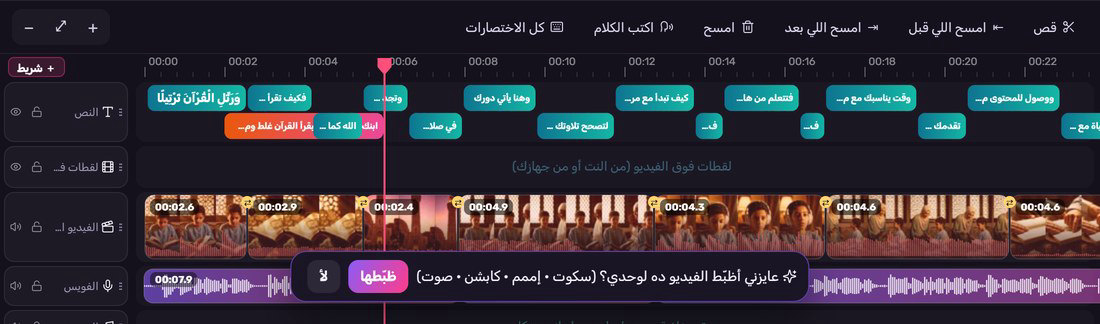
  • Real experience: Recording 25 seconds became 14 clean seconds by itself
  • It offers you one-button settings, and you either accept it or ignore it
The program asks: Should I adjust the video myself? Scott, mmm, caption, and sound
02 · Arabic caption

Video speech is written synchronously, word for word

He hears your words and writes them on the video in proper Arabic letters, without broken letters or inverted directions.
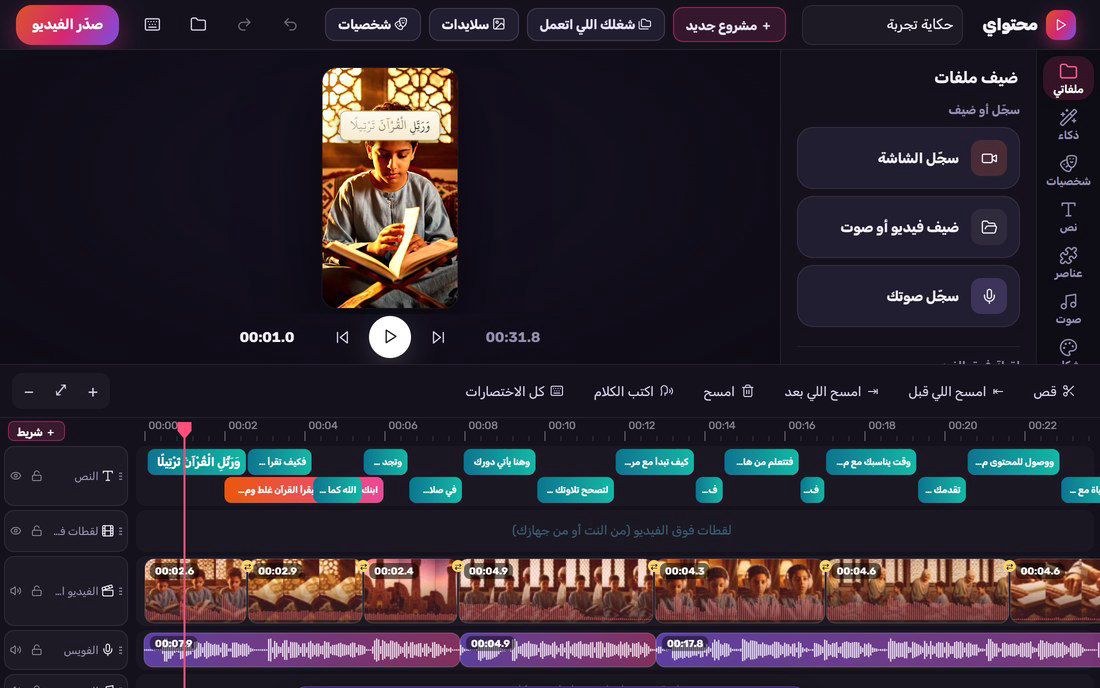
  • 7 Styles: Karaoke · Bob · fund · Neon and others
  • The verses are written in the script of the Qur’an and in the colors of Tajweed
Arabic karaoke caption and verse in the Quran script above the video within my content
03 · Screen recording

Record your explanation with your face in a circle

Your screen and voice are recorded, your face appears in a circle that you move while recording, and your voice is cleaned up on its own..
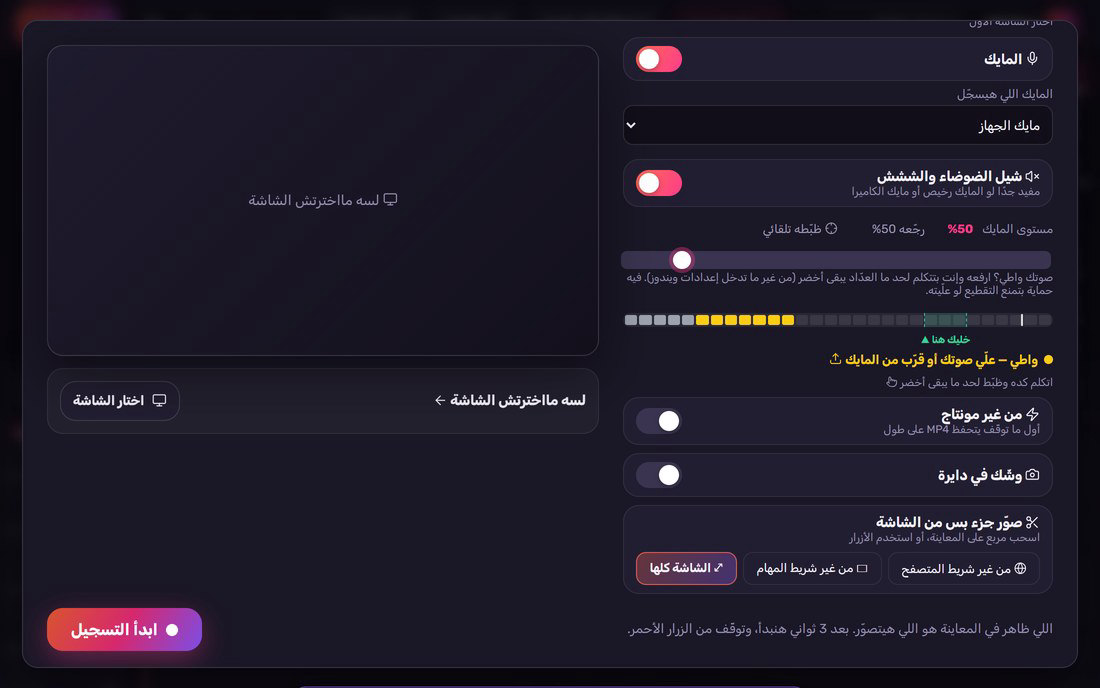
  • Noise removal and professional constant sound level adjustment
  • Record all or part of the screen
Record screen on my content with flip circle and audio cleanup option
04 · Advertisement from your shots

Throw in your shots and your voice… The program installs the advertisement

He arranges the shots, cuts each shot individually, and puts the transitions, the caption, and the phrase “Sign up and get started.””.
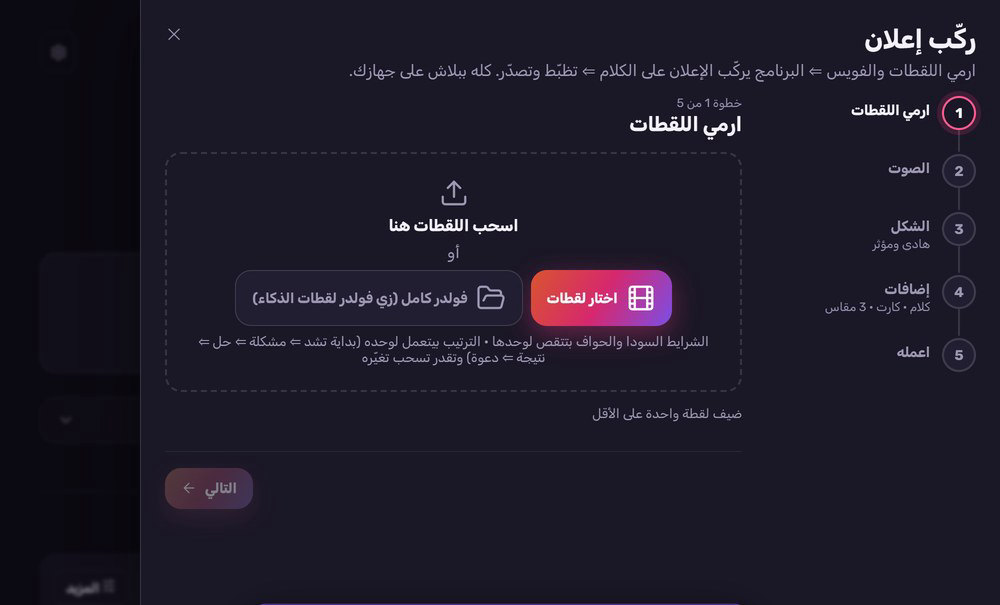
  • Five steps: stills · Sound · Style · Extras · Implementation
  • “Tell a story with your shots” also in the same way
A wizard inserted an ad into my content: throw in the footage, then the sound, then the style
05 · All sizes

The size of the rails and posts are from the same project

One project comes out in four sizes, with animated text, motion templates, icons and stickers.
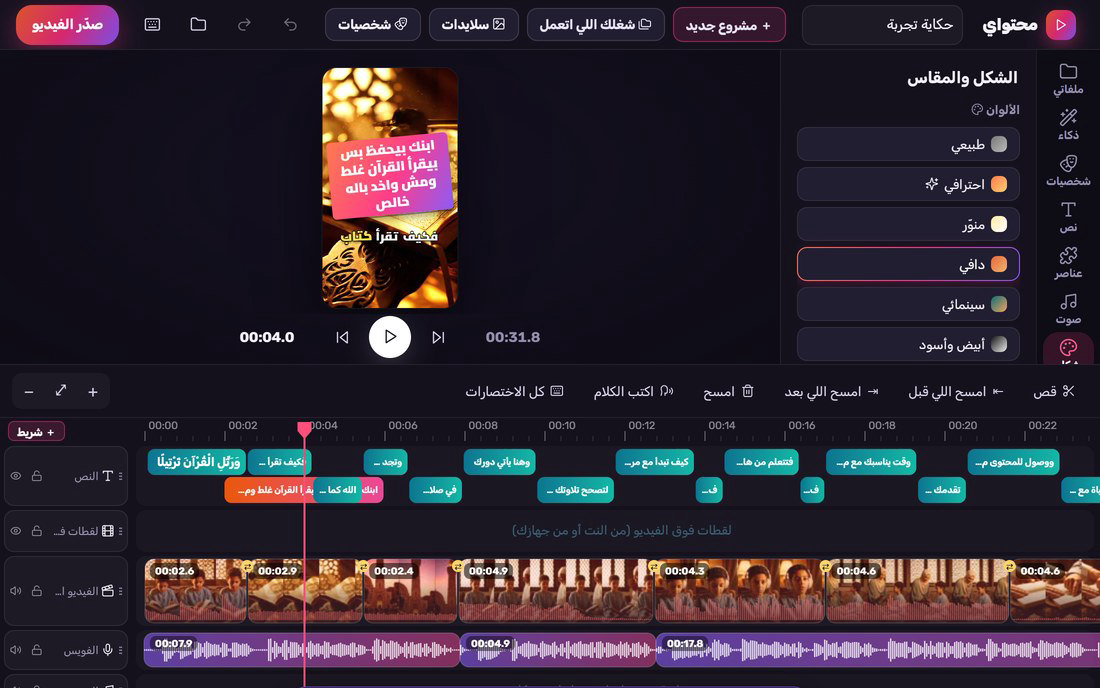
  • 9:16 · 4:5 · 1:1 · 16:9
  • 45 Arabic calligraphy · 21 frame · 13 Motion template
Choice of colors and size: YouTube, Reels, Tik Tok, Square and Post
And more

Other tools within the program itself

Slides Converted into images or PDF Or videoArtificial intelligence video On the graphics cardChange the voiceThumbnail And a title and description for YouTubeIcons And stickers
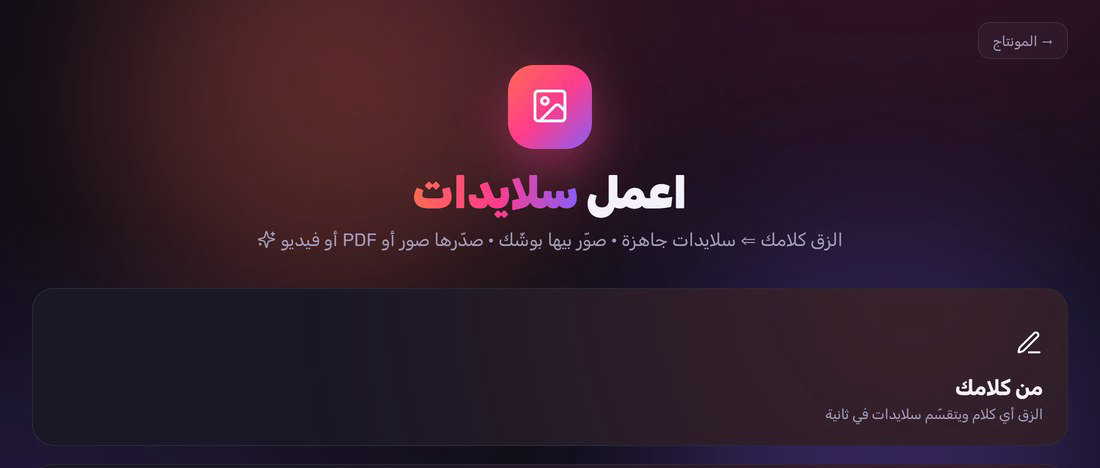
Slide Studio inside my content: Paste your words and they turn into slides
Who is the program for?

Designed for those who make videos themselves

Shop owner or small business ownerCreate your own ads without the need for an editor.
A teacher or coachYou record your explanations with a clean voice and Arabic captions.
Reels and TikTok content creatorDownload your videos quickly and in all sizes.
Freelancer delivers videosPrepare your clients' videos in less time.
After payment

How to get the program?

Only three steps, and no monthly subscription.

  1. 1
    Pay onceBy the appropriate method for you from the methods available in the payment step.
  2. 2
    Download the installation fileThe link will appear to you after payment is confirmed. The file is about 280 MB.
  3. 3
    Install and get startedOn Windows 10 or 11 (64-bit). Updates download on their own.
Get started today

Get my content in one payment

Lifetime license
My content · Editing program for Windows in Arabic

USD 7.99

lump sum · lifelong · No subscription
  • The program is complete with all its tools
  • Instant download after payment confirmation
  • Automatic updates at no additional charge
  • Works on Windows 10 and 11 (64-bit).)
  • Your files stay on your device

Complete your order

املا بياناتك — اللي اشتريته بيتفتحلك في ملفاتك برقم موبايلك على طول

This number is your account — once you pay your purchase opens right away, and you can come back to it anytime with your number

Shipping address

Order summary

  • Mohtawai — Arabic Video Editor for Windows
    Mohtawai — Arabic Video Editor for Windows
TotalUSD 7.99

Payment

All transactions are secure and encrypted.

🔒 Secure online payment · 7-day money-back guarantee

What we commit to
  • You only pay once, there is no automatic discount and no subscription.
  • No data leaves your device while using the program.
  • The store's return policy is posted and you can read it before purchasing: Return policy.
before you buy

Questions people ask

Does it work on Mac or mobile?

Currently it only works on Windows (10 and 11, 64-bit). Mac version is coming soon.

I got a warning SmartScreen Upon installation, is the program safe?

The first installation of any new program on Windows may display a warning SmartScreen Because the program has not yet spread widely. Press «More info» then «Run anyway» To complete the finishing.

Is it a monthly subscription?

no. You pay once and get a lifetime license, with no renewal or automatic discount.

How do I receive the program after payment?

After confirming payment, you will see a link to download the installation file directly on the order confirmation page, and it remains available in “My Files”. When paying by transfer (InstaPay or Vodafone Cash), the link appears once you review the transfer image.

Do I pay for updates?

No, updates are delivered to you without additional fees. The program checks for a new version when it is opened, and downloads and installs it when it is closed.

Do I need experience in editing?

no. The program is designed for the business owner and content creator who does not want to learn complex programs. You drop the video and click “Set it yourself.””.

Are my data and files being uploaded somewhere?

no. The program runs on your device, and your files are not removed from it.

What are the device requirements?

Windows 10 or 11, 64-bit, with enough space for the installation file (about 280 MB). As for the artificial intelligence video, it runs on the graphics card in your device.

How do I pay?

Choose the payment method available to you in the payment step at the bottom of the page. Card payment is confirmed instantly, the local transfer is reviewed and your download is then opened.

Your first video without hours of effort

Buy my content once, download it now, and start with your first video.

Buy my content now
My contentUSD 7.99
buy it now
USD 7.99Get the program